
Material Takeoff + Texture Tools for SketchUp - Polygarden Tools
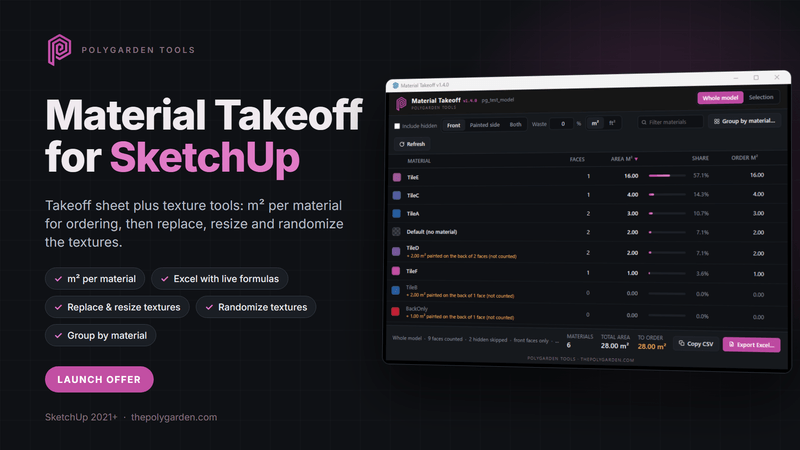
A takeoff sheet for SketchUp that also fixes your textures: square metres per material for ordering, plus replace, resize, randomize and group-by-material tools.
Material Takeoff totals the area of every material in your model so you can order with confidence. It counts each face once by the side you actually see, walks into every group and component at its real scale, and tells you when a material is painted on the back of reversed faces so nothing is missed. Then the same sheet is where you fix the textures.
Takeoff
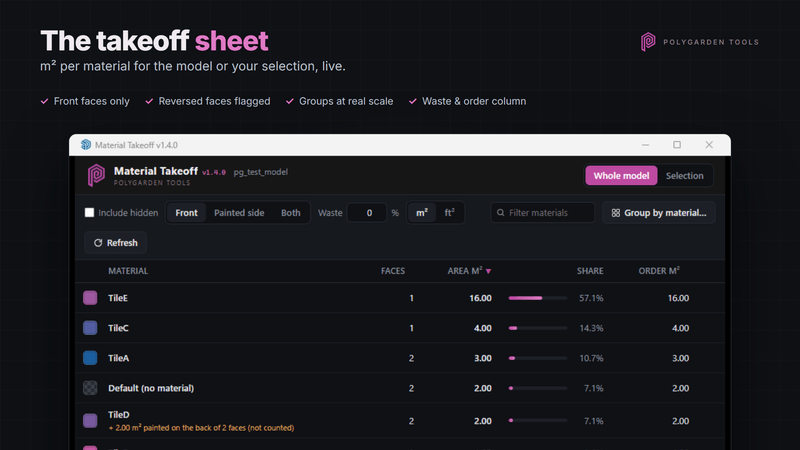
- Square metres (or square feet) per material for the whole model or just your selection, updating live as you select.
- Front faces only by default. Switch to Painted side to catch tile painted onto reversed faces, or Both for free-standing walls.
- Hidden geometry and hidden tags are excluded unless you choose otherwise.
- Waste percentage with an order quantity column.
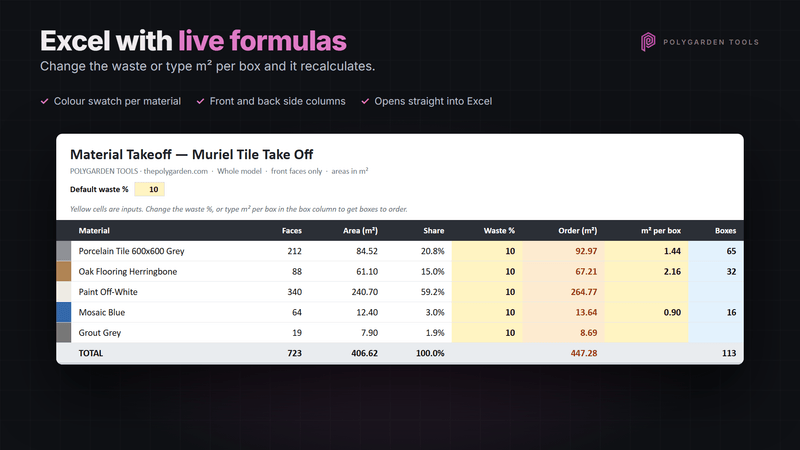
- Excel export with live formulas: change the waste percentage or type in square metres per box and the sheet recalculates boxes to order. Colour swatch per material, frozen header, filters.
Texture tools
- Replace a material everywhere from another scene material, from an image or .skm file, or by dragging a file from Explorer straight onto the material.
- Texture size in real-world millimetres, with an aspect lock and tile presets.
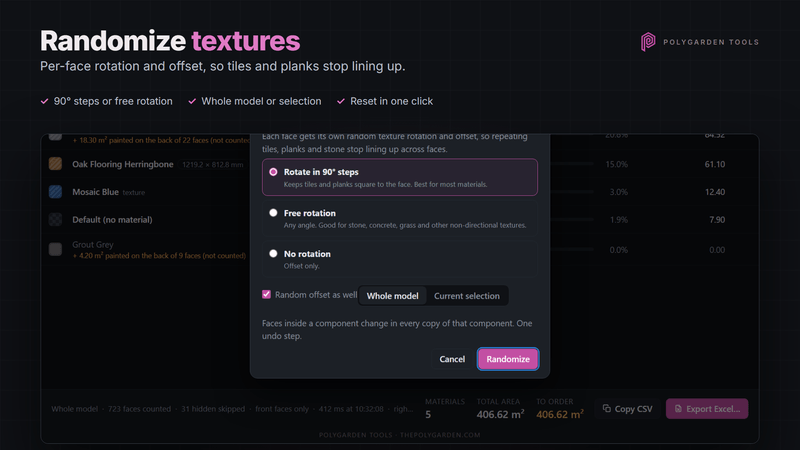
- Randomize texture rotation (90° steps or free) and offset per face, so repeating tiles, planks and stone stop lining up. Reset it again in one click.
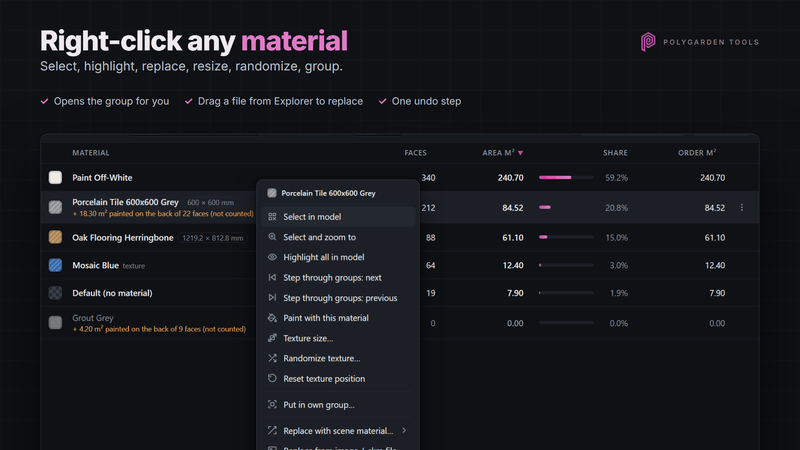
- Right-click any material to select it in the model (opens the group for you), highlight it through every group, step through the groups, paint with it or rename it.
- Group by material: collect every face carrying a material into its own group, for one material or the whole model, as a copy or a move. Great for quoting and for exporting to other software.
- Everything is one undo step.
Requirements
- SketchUp 2021 or newer (Pro, Studio or a current subscription with extensions). Developed and tested on SketchUp 2026 for Windows. macOS support is being tested; ask before buying if you are on a Mac.
- Metric or imperial models, output in m² or ft².
What you get
- The extension as an .rbz file. Install it in SketchUp via Extension Manager → Install Extension.
- 2-day free trial, then enter the licence key from your receipt (Extensions > Polygarden Tools > Material Takeoff > Licence key). One key per computer; remove it in the dialog to move it.
- Free updates for version 1.x.
- Email support at info@polygarden.com.
Licence agreement
By buying or installing you agree to the Material Takeoff End User Licence Agreement. The full text comes with the download (EULA.txt) and is shown when you first open the extension. In short:
- One licence key per computer. Don't share keys or redistribute the software.
- Provided "as is". The texture tools change your model: every change is a single undo step, but save and back up your model first.
- Areas, waste and box counts are estimates from your model. Check quantities before you order or quote.
- Our liability is limited to the price you paid. This doesn't affect your rights under consumer law.
Version 1.5.3